
Events
From the published page to the check-in line
Nonprofit event registration software should carry the whole event: the public page, the registrations, the promo codes, and the door on the night itself. Need Navigator does, and your attendees never need an account.
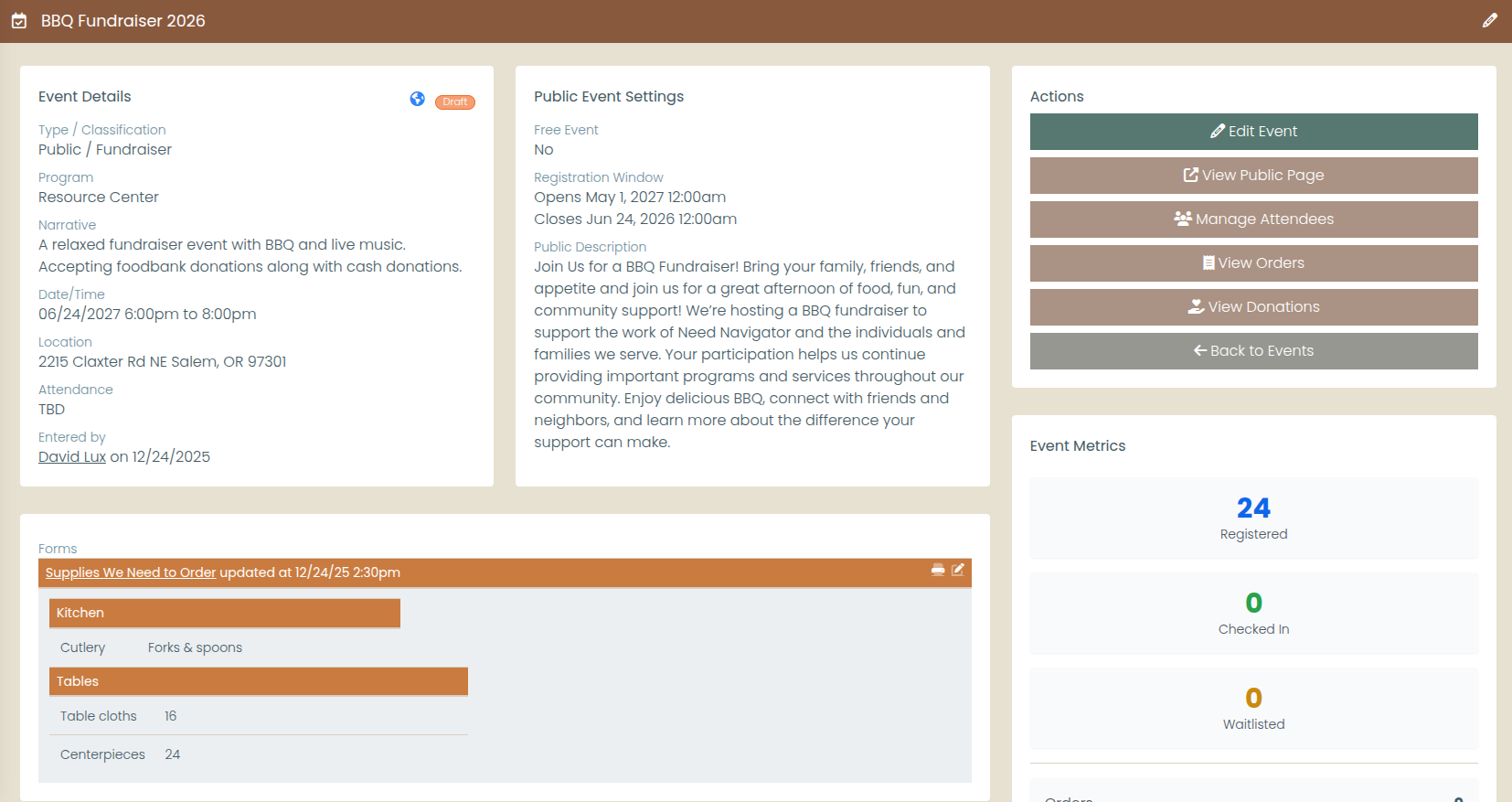
What the events module does
Public only when you say so
Every event gets a page with a hero image, schedule, location or virtual link, capacity indicators, and a rich description. None of it is public until you explicitly publish it. The hosted page renders in English today; Spanish event content reaches your website through the feed.
Registration that fits the event
Ticket types with quantities and per-attendee details when the night calls for it; a free name-and-email signup when the event is ticketless. Duplicate registrations are prevented, and registration windows open and close on the dates you set.
Promo codes with guardrails
Percentage or fixed-amount discounts, each with an expiration date and a usage limit, so the board's code stops working exactly when it should.
The auction, on display early
Auction items, merchandise, and sponsor tables show on the public page with images, prices or starting bids, and quantities. Display only: there is no online bidding or purchasing, so the paddles stay in the room.
Donation pledges, kept honest
The event page records a pledge at preset or custom amounts. Nothing is charged online; staff record the cash and check donations that actually arrive, so your books match the cashbox.
Cancel with a code, not an account
Attendees look up and cancel their own registrations with a 6-digit code emailed to them. No account, no password, no Monday-morning phone calls to your office.
Tools for the door
Per-attendee QR check-in links keep the line moving. Manual check-in with undo, no-show marking, and walk-in registration handle everything else the evening throws at you.
One back office for the whole event
Registrations, orders, attendees, donations, and promo codes in one staff workspace. Events also appear on the shared staff calendar and are a first-class type in the report builder, with Excel export.
Your website stays current on its own
The Website Event & Class Feed serves your published events (and, if you choose, your open class offerings) to your own website or a partner's, in English and Spanish. Publish the event once in Need Navigator, and every connected site lists it.
The feed is read-only and token-protected, and it carries marketing data only: no client information, by construction. Each site gets its own token with scoping, revocation, and rate limits, so a partner's access can be narrowed or switched off without touching anyone else's.
Questions event teams ask
How do attendees cancel a registration?
With a 6-digit code emailed to them: no account, no password. The code lets an attendee look up their registration and cancel it themselves, and staff can always cancel a registration from the back office as well.
What happens when an event reaches capacity?
Registration closes when the event is full. The public page shows a capacity indicator as spots fill, so people can see where things stand before they start the form. Capacity is part of the event setup, and staff can watch registrations against it from the back office.
How do donations work if nothing is charged online?
The event page records a donation pledge at a preset or custom amount. Money changes hands offline. Staff record the cash and check donations they receive in the back office, so what you report is what actually arrived.
Can our website list our events automatically?
Yes. The Website Event & Class Feed is a token-protected, read-only feed of your published events, and optionally your open class offerings, in English and Spanish. Each website gets its own token with scoping, revocation, and rate limits, and the feed carries marketing data only, never client information.
Can we show auction items and sponsor tables on the event page?
Yes. Event items (auction items, merchandise, and sponsor tables) display on the public page with images, prices or starting bids, and quantities, so guests can browse before they arrive. Display is the whole story: there is no online bidding or purchasing.
Bring your annual fundraiser
Tell us about your biggest night of the year, and we will build the event page in the demo and run a registration through to day-of check-in.