
For parent education providers
From first application to certificate night
Case management for parent education programs starts long before session one and ends well after the last chair is folded. Need Navigator carries that whole span: bilingual applications a family completes online, verified registration, automatic reminders, attendance, completion computed to fidelity. And it treats participant privacy as a safety matter, because for some families it is one.
Built for the way a cohort actually runs
Eight pieces of Need Navigator that carry parent education work. The classes module itself (catalog, registration, reminders, attendance, certificates) has its own page.
One module carries the whole arc
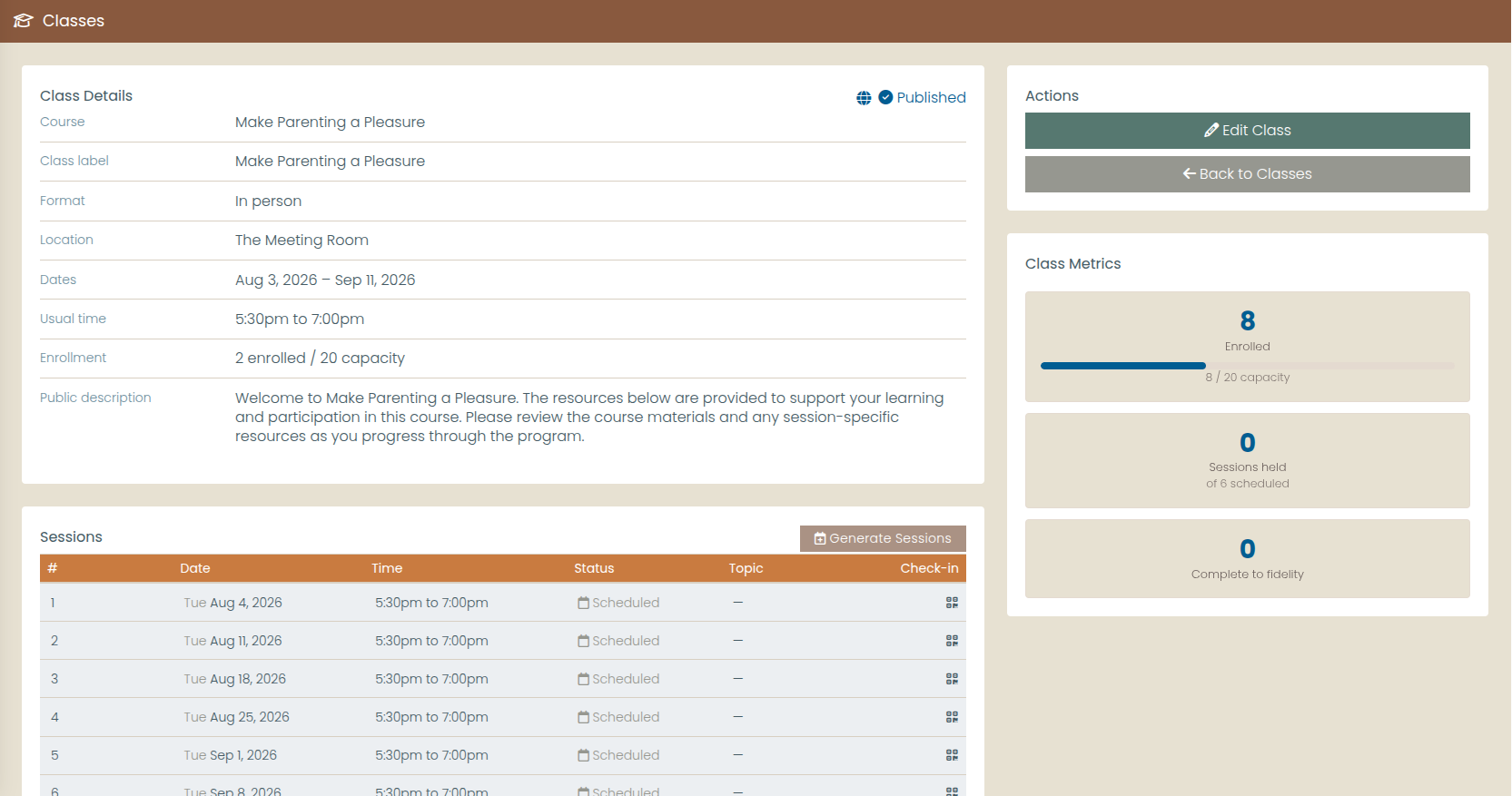
Courses hold the curriculum and its completion-fidelity threshold. Offerings are the runs families enroll in: online, in person, or hybrid, each with its own capacity and public page. Sessions generate from a weekday pattern, so the spring schedule takes minutes, not an afternoon.
Sign-ups verified, reminders automatic
Every offering gets a public registration page with bot protection, and the phone number or email a family gives must pass a one-time code before the registration is accepted. From there, reminders go out by text message (SMS) and email before every session, a few days ahead and again day-of, with opt-in managed per offering.
Completion computed, certificates ready
Each course carries the attendance threshold your curriculum calls for, and completion is computed against it automatically. Facilitator credit overrides cover the nights life intervenes. Certificates generate as PDFs for everyone who qualifies, ready before certificate night.
Intake in the family's language
Present your intake forms in Spanish: an AI drafts the complete translation in seconds, and your bilingual staff review and polish it side by side before a family ever sees it. Answers store in English behind the scenes, so conditional logic and reporting carry on unaffected.
One application, the whole household
Families apply online through the MyNeedNav portal, no account needed, in English or Spanish. When one application names several people, a guided stepper matches or creates each member and builds the household in one pass; nothing attaches to a record until staff confirm it.
Your class schedule, on your website
A secure, read-only feed serves your open class offerings to your own website automatically, in English and Spanish, so the schedule families see is always current. The feed carries marketing content only; by construction, no client information ever passes through it.
Privacy designed for survivors
Scanning the check-in poster never reveals who is enrolled. Confirmed participants get single-use, short-lived check-in links by text or email, households check in together, and confidential members are never disclosed. The client record itself can carry a domestic-violence-survivor flag.
Enrollment and completion, on the dashboard
Class enrollment and completion outcomes are reportable on dashboards. Watch a cohort move from sign-up to certificate without building a spreadsheet, with build-your-own query tables and fiscal-year date presets. The rest of your program's work (visits, needs, referrals) flows into a report builder with scheduled delivery and Excel export.
Questions parent education providers ask
Our funding requires an evidence-based curriculum delivered to fidelity. Can Need Navigator document that?
Each course carries its own completion-fidelity threshold (the attendance bar a participant must meet), and completion is computed against it automatically from the attendance record. Completion certificates generate as PDFs for qualifying participants, and enrollment and completion outcomes are reportable on dashboards. Your curriculum's requirements stay yours to define; we make no compliance claims for any named program.
Can families apply in Spanish?
Yes. Your intake forms can be presented in Spanish on the public portal. An AI drafts the complete translation in seconds, and your bilingual staff review and polish it in a side-by-side editor before a family ever sees it. Stored answers stay in English behind the scenes, so conditional logic and reporting are unaffected. Spanish descriptions of your open class offerings can also appear on your own website through the secure class feed.
How does Need Navigator protect participants who are domestic-violence survivors?
Check-in is designed so the roster can never be discovered from the room: scanning the session's QR poster reveals no names, confirmed participants receive single-use, short-lived check-in links by text or email, and confidential household members are never disclosed, even when a household checks in together. On the record side, a client's profile can carry a domestic-violence-survivor flag, and every staff view of a client record is logged and screened for unusual access patterns.
Do families need an account to apply or register?
No. Applications on the public portal require no account, and class registration verifies the family's phone number or email with a one-time code before it is accepted, so rosters start clean, with no login for anyone to remember. Application submissions arrive in a staff review queue where a matching engine ranks likely existing records; nothing attaches to a client record until staff confirm it.
See a whole cohort run through it
Bring your spring schedule and your intake form to the demo. We will set up the course, take a registration, and show you where the completion numbers land.