
For shelters & housing programs
Tonight's beds, tomorrow's report
Case management software for homeless shelters is judged at the front desk, on the coldest night of the year. Need Navigator shows staff what is open right now, checks whole families in together, captures an exit reason on every check-out, and keeps the stay records (bed nights, entries, exits) that your reporting runs on. And when the work leaves the building, it comes along: outreach staff log GPS-stamped encounters in one tap.
Built for the rhythm of shelter work
Six pieces of Need Navigator that carry the load for shelters and housing programs. The shelter module itself (floor plans, the bed matrix, maintenance tracking) has its own page.
Beds you can see, families kept together
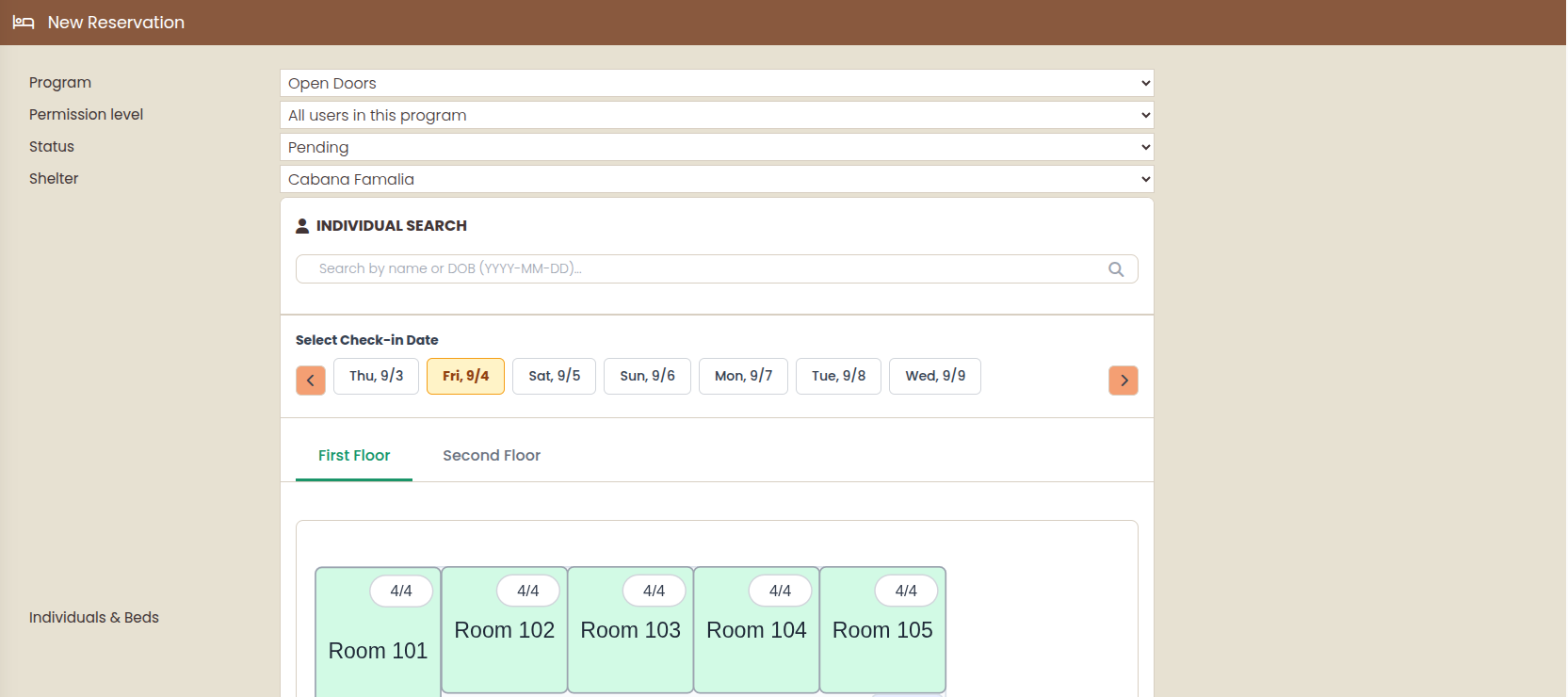
Multi-floor floor plans show every bed and its status, a week-at-a-time matrix reads occupancy as spans, and a visual bed picker places people fast. Families book as a group and check in (or out) in one action, so keeping two kids next to their parents never means juggling four reservations.
Exits that close the loop
Check-out captures an exit reason your agency defined, grouped into categories. Automations can act on it: closing the program enrollment, sending an email, creating a task. The enrollment episode keeps its entry and exit dates and who recorded them.
Street outreach on the record
Field staff log a GPS-stamped location from the client's record in one tap. Locations cluster automatically into places supervisors can name, the map filters by worker, client, place, and date range, and every log exports to Excel. All of it is well-suited to Point-in-Time (PIT) count fieldwork.
An HMIS-adjacent data model: our words, chosen carefully
HMIS (Homeless Management Information System) is the record-keeping standard many funders require. Need Navigator treats the HMIS number as a first-class field and duplicate key, stays keep bed nights and categorized exit reasons, and reservations are a first-class report type. But we make no federal compliance claims. The reports are yours to assemble, and they support your funder reporting.
Privacy worthy of the people you serve
Every staff view of a client record is logged: who, when, from where. Eight toggleable rules flag unusual patterns, from night-hours access to sequential record walking, for administrators to review. Notes, documents, and folders carry record-level visibility, and each agency runs on its own private database.
Stays and bed nights, reportable
Bed nights are tracked per stay, actual and planned-versus-actual. Build reports on reservations, filtered by shelter, program, exit reason, or date range. Set a redaction level so personally identifiable information (PII) stays out of a board packet, then schedule delivery weekly or monthly with Excel export.
Questions shelters and housing programs ask
Is Need Navigator an HMIS?
No, and we say that plainly. HMIS (Homeless Management Information System) is the record-keeping standard many homeless-services funders require; Need Navigator uses an HMIS-adjacent data model instead: the HMIS number is a first-class field and duplicate key on every client record, stays keep bed nights and categorized exit reasons, and reservations are a first-class report type. Reports are assembled in the flexible report builder and export to Excel, which supports your funder reporting. We do not make federal compliance claims on your behalf.
Can our outreach team use it for the Point-in-Time count?
Yes. GeoTracker is well-suited to Point-in-Time (PIT) count fieldwork, the annual single-night count of people experiencing homelessness. Field staff log a GPS-stamped location in one tap, locations cluster automatically into places a supervisor can name, and the map filters by worker, place, and date range. When it is time to tally, every location log exports to Excel.
How do you protect people fleeing violence or in crisis?
Every staff view of a client record is logged (who, when, from where), and eight toggleable rules flag unusual access patterns, such as repeated views of one person or access outside assigned programs, for an administrator to resolve. Notes, documents, and folders carry record-level visibility, so a sensitive note can be limited to a program or team. The record itself can carry a domestic-violence-survivor flag and colored alert banners staff see the moment it opens.
What gets recorded when someone leaves?
Check-out captures an exit reason your agency defined, grouped into categories, and an automation can act on it, including closing the client's program enrollment. The stay keeps its bed nights, actual and planned-versus-actual, and the enrollment episode keeps entry and exit dates and who recorded them. Reservations are a first-class report type, so stays, exits, and bed nights land in reports you can schedule and export.
Dig into the modules
See it handle a full house
Bring a hard night's questions: who is where, what is open, who left and why. We will book a family, check them in together, and show you the report their stay lands in.