
Shelters & bed reservations
Every bed, every night, accounted for
Homeless shelter bed management software should mirror the building itself. Need Navigator gives you floors, rooms, and beds you can actually see, along with a reservation workflow that runs from booking to check-out, keeps families together, and leaves behind the stay records your reporting needs.
What the shelter module does
A floor plan you can draw
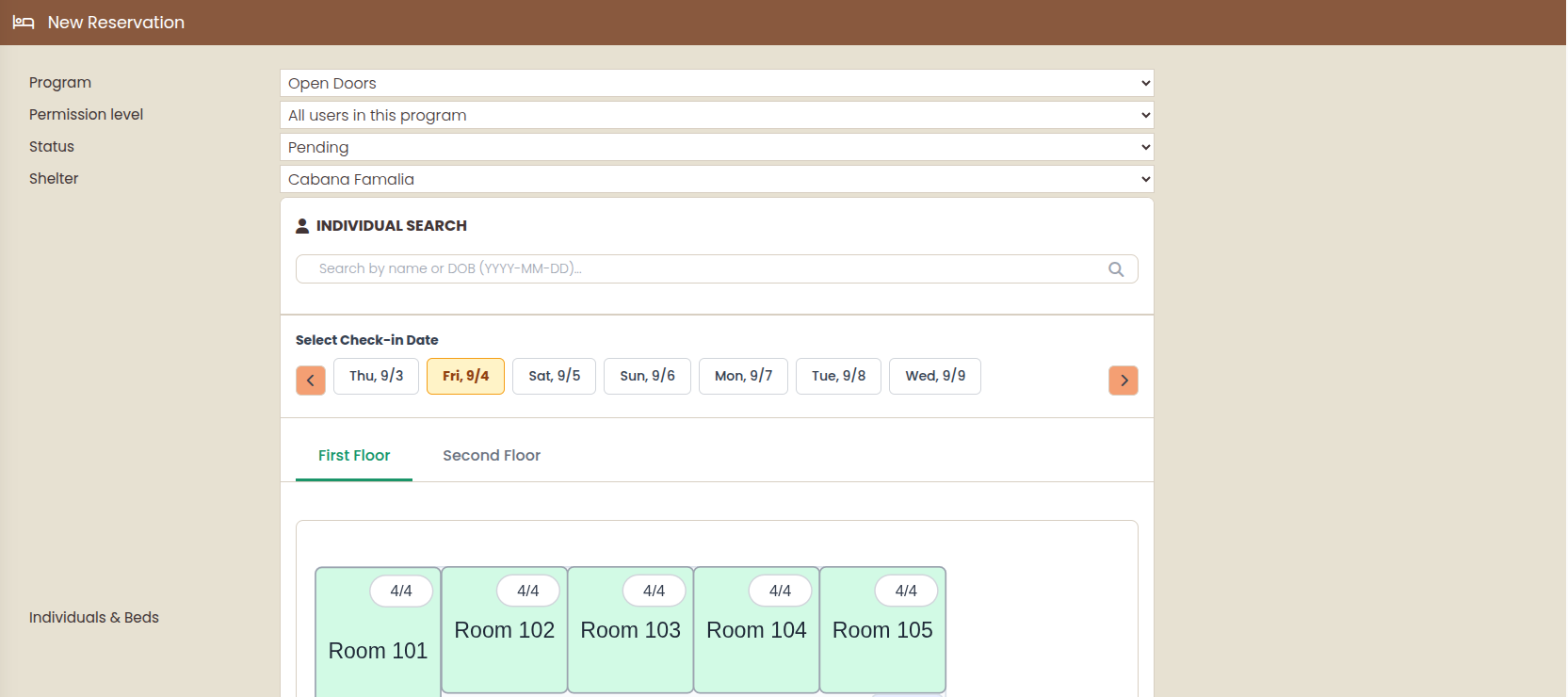
Lay out multi-floor buildings with live bed-status colors: available, occupied, maintenance, offline. Every change is saved as a new version with its author and reason, so the plan has a history you can stand behind.
Set up a building in minutes
A bulk builder creates floors × rooms × beds in one step. Each shelter carries its own eligibility attributes (age range, veteran-only, household size limits) and typical check-in and check-out times.
A drafting assistant for the plan
One of exactly two AI features in Need Navigator: describe your rooms and beds, and the assistant drafts a to-scale floor plan for you to edit. It saves an afternoon of drawing. The layout stays yours.
The whole stay, one workflow
Reservations move from pending to confirmed to checked in to checked out, with cancel and no-show where reality intervenes, and open-ended stays where your shelter allows them.
Families stay together
Book a family as a group and check everyone in, or out, in one action. No juggling four separate reservations to keep two kids next to their parents.
This week at a glance
The bed-by-date matrix shows a week of occupancy as spans you can read in a second, navigable week by week, with per-date room summaries and a visual bed picker when it's time to place someone.
Beds go down: track it
Take a bed offline or mark it for maintenance with a comment. It leaves availability until resolved, and the full history of downtime and resolutions is kept.
Check-out that finishes the record
Check-out captures a categorized exit reason your agency defined, and automations can act on it, including closing the client's program enrollment. Bed nights, actual and planned-versus-actual, are tracked per stay.
Questions shelters ask
Can families be checked in and out together?
Yes. A family or group books together, and staff check the whole group in or out in a single action. Each member keeps their own stay record, so bed nights (actual and planned-versus-actual) and categorized exit reasons stay accurate per person.
How do staff see what is open tonight?
Three ways: a week-at-a-time bed-by-date matrix with occupant spans, per-date room summaries, and a visual bed picker with live status colors on the floor plan itself. Bed status updates as reservations move through their lifecycle.
What happens when a bed is out of service?
Mark it under maintenance or offline with a comment, and it drops out of availability until it is resolved. The resolution history is kept, so you can show a funder or facilities team exactly when a bed was down and why.
How does this relate to HMIS?
HMIS (Homeless Management Information System) is the record-keeping standard many homeless-services funders expect. Need Navigator uses an HMIS-adjacent data model: the HMIS number is a first-class field on every client record, stays capture bed nights and categorized exit reasons, and reservations are a first-class report type. We do not make federal compliance claims. Reports are assembled in the flexible report builder, with breakdowns and Excel exports that support your funder reporting.
Can it handle multiple shelters, buildings, and floors?
Yes. Each shelter has its own eligibility attributes (age range, veteran-only, household size limits), check-in and check-out times, and multi-floor layout. A bulk builder creates floors, rooms, and beds in one step, and every floor-plan change is saved as a version with its author and reason.
See your building in it
Bring a floor plan to the demo. We will draft it live and walk a reservation from booking to check-out.