
Billing
From logged minutes to a claim-ready batch
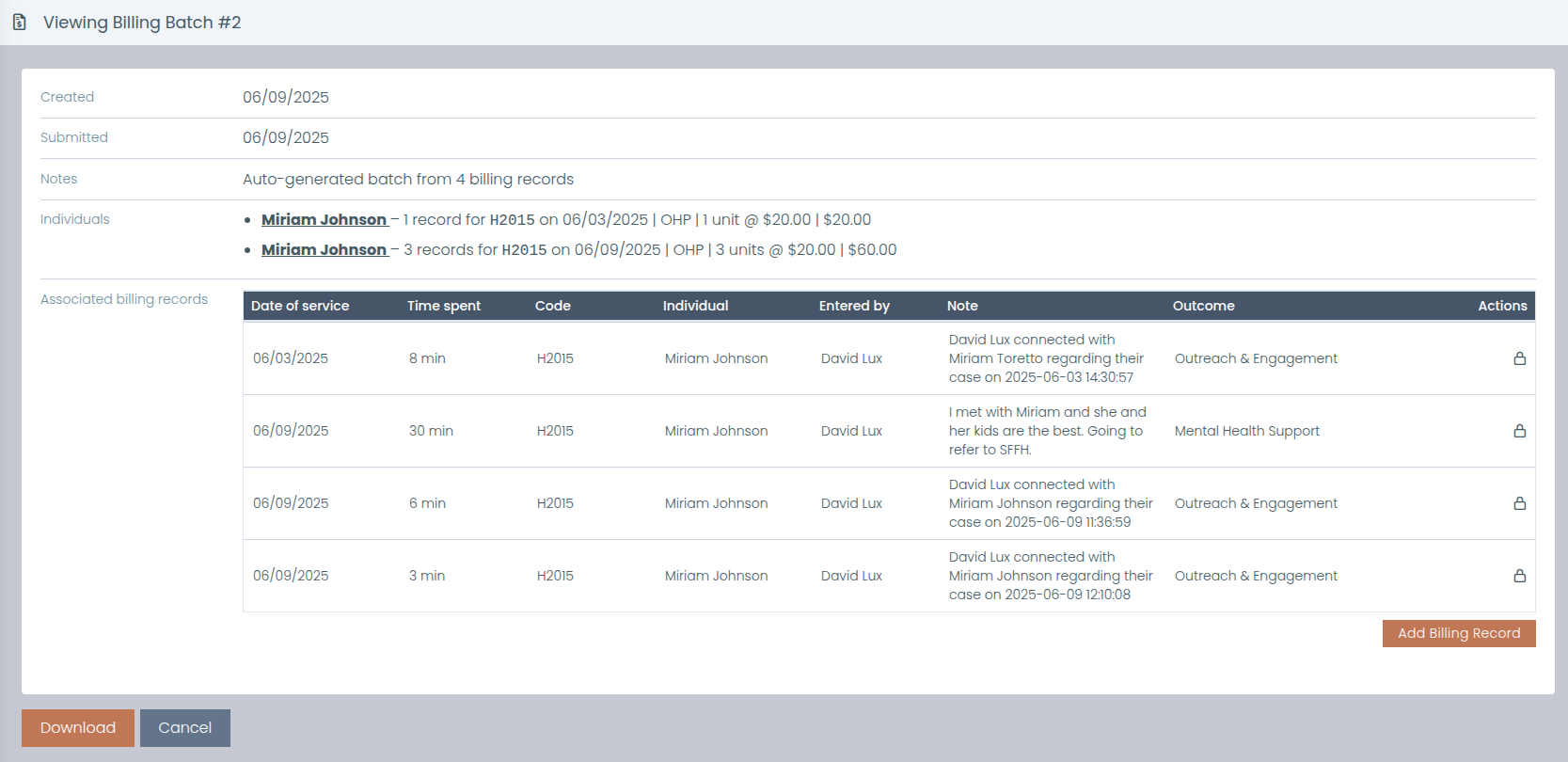
Human services billing software should be honest about where its job ends. Need Navigator turns the visits and assistance you already record into billing records, converts minutes to units under Medicare's 8-minute rule, checks every line against insurance coverage dates, and exports a claim-ready batch to Excel. Your biller submits it from there. That hand-off is the design, not a gap.
What the billing module does
Codes your agency defines
Billing codes are yours: categories, modifiers, regions, units, and expected unit costs, set up to match your contracts, including billing codes such as HRSN (health-related social needs) Outreach & Engagement.
Records that create themselves
Recording a visit generates billing records from its reasons, using the actual duration for each client in the room. Assistance requests generate them from their need types. No second round of data entry at month-end.
Minutes to units, automatically
Timed services convert to billable units under Medicare's 8-minute rule when you build a batch. The same arithmetic, applied the same way, record after record.
Coverage checked at batching
Records whose service date falls outside the client's insurance coverage dates are excluded from the batch, and the carrier is stamped on every line that goes through. Coverage-date problems surface before the file leaves the building.
A status for every record
Records move from pending to batched to submitted to paid or rejected, with filtering, search, and export across all of it. When your biller reports back, the record's status says so.
Totals that hold up
Batch totals compute per client, per code, and per date, with the insurance carrier on each line, organized the way billers actually read the work.
Excel is the hand-off
Export the batch to Excel and send it to your biller. That is the hand-off, by design. Need Navigator prepares claims; it does not submit them electronically or connect to a clearinghouse, and we would rather say that plainly here than have you discover it later.
Manual entry, full attribution
Enter a record by hand when the work did not start as a visit or a need, from the billing screens or the quick-action menu on a client's profile. Every record, generated or manual, keeps who created it.
Questions billing staff ask
What is the Medicare 8-minute rule, and how does Need Navigator apply it?
The 8-minute rule is Medicare's standard for converting timed services into 15-minute billable units: a unit becomes billable once at least 8 minutes of service is delivered, and a remainder of 8 or more minutes past a full unit counts as an additional unit. Need Navigator applies the conversion for you when a batch is generated: each record's actual minutes become billable units, so a 52-minute visit comes out as 3 units without anyone doing the arithmetic by hand.
What happens after we export a batch?
The exported Excel file is the hand-off: you send it to your biller or billing service, and they submit the claims. Need Navigator prepares claims; it does not submit them electronically or connect to a clearinghouse. As answers come back, staff update each record's status to submitted, paid, or rejected, so the system always shows where every record stands.
How does insurance validation work?
Each client's insurance policies (carrier, member ID, and coverage dates) live on their client record. When you generate a batch, any record whose service date falls outside the client's coverage dates is excluded, and the insurance carrier is stamped on every line that goes through. Records with a coverage-date problem are kept out of the file you hand to your biller.
Where do billing records come from?
Most are generated automatically: recording a visit creates billing records from the visit's reasons using the actual duration for each client, and assistance requests create them from their need types. Staff can also enter a record by hand, from the billing screens or straight from the quick-action menu on a client's profile. Either way, every record keeps full attribution of who created it.
Can we define our own billing codes?
Yes. Billing codes are agency-defined, with categories, modifiers, regions, units, and expected unit costs, so your codes can mirror your contracts and your region. At batching, totals compute per client, code, and date with the carrier stamped on each line.
Walk a month of billing in the demo
Bring your billing codes and a typical month of visits. We will build a batch live, from logged minutes to the Excel file your biller takes from there.